
Patch Notes B0.11 - Visual Novel Mode + Expressions
Visual Novel Mode
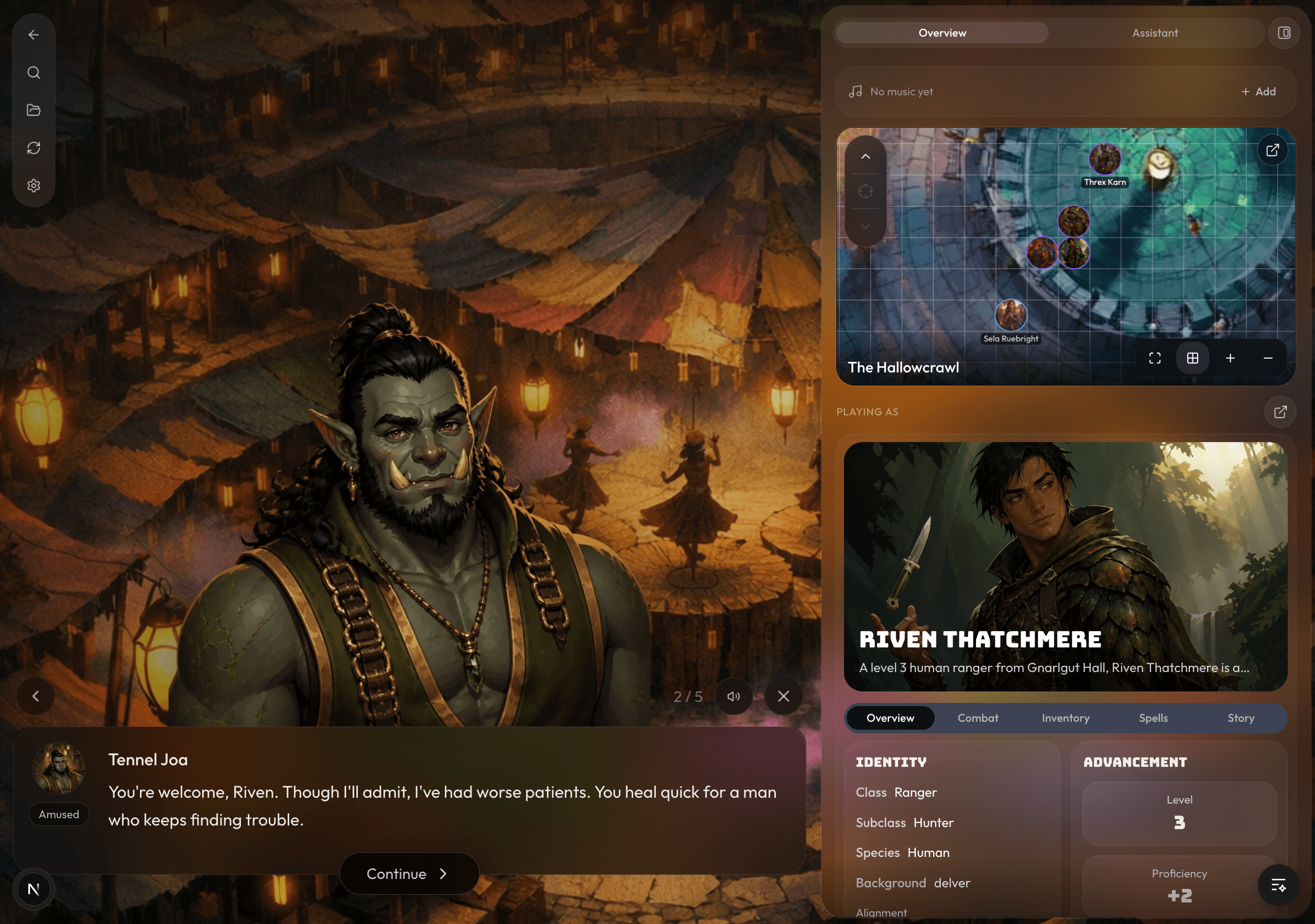
We're excited to introduce Visual Novel Mode!
In Visual Novel Mode, your GM's response gets broken up into chunks of GM narration, or character dialogue. When certain characters are speaking, you'll see cutouts of their avatars appear above the message. These images can now display different character expressions as well.
Visual Novel Mode is going to be the new default way to play, but you can easily toggle it off by clicking out of it and clicking the visual novel mode button. When Visual Novel Mode is toggled on, it will switch between the Visual Novel Mode (GM's turn) and regular chat UI (your turn), so you can still scroll up to read older messages easily.
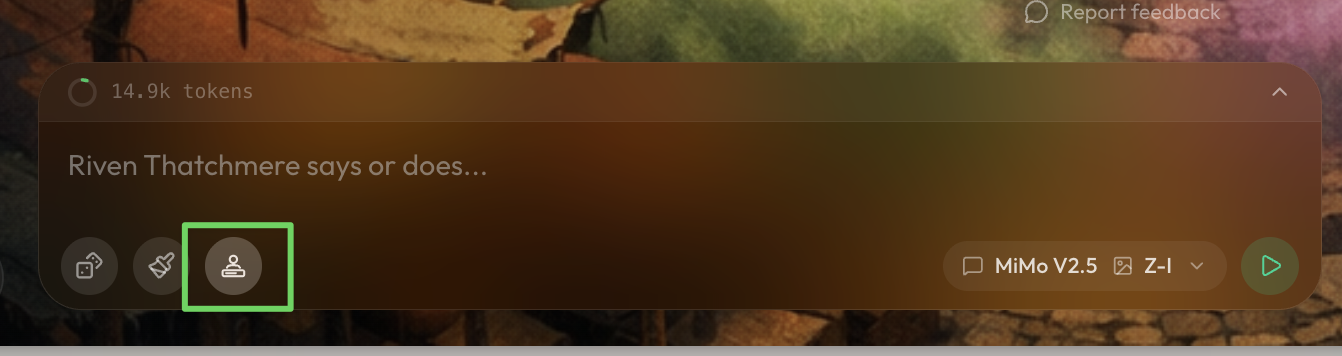
Creating Visual Novel Assets: Cutouts
You'll be able to create Visual Novel Mode assets from a character form or within your game and project settings.
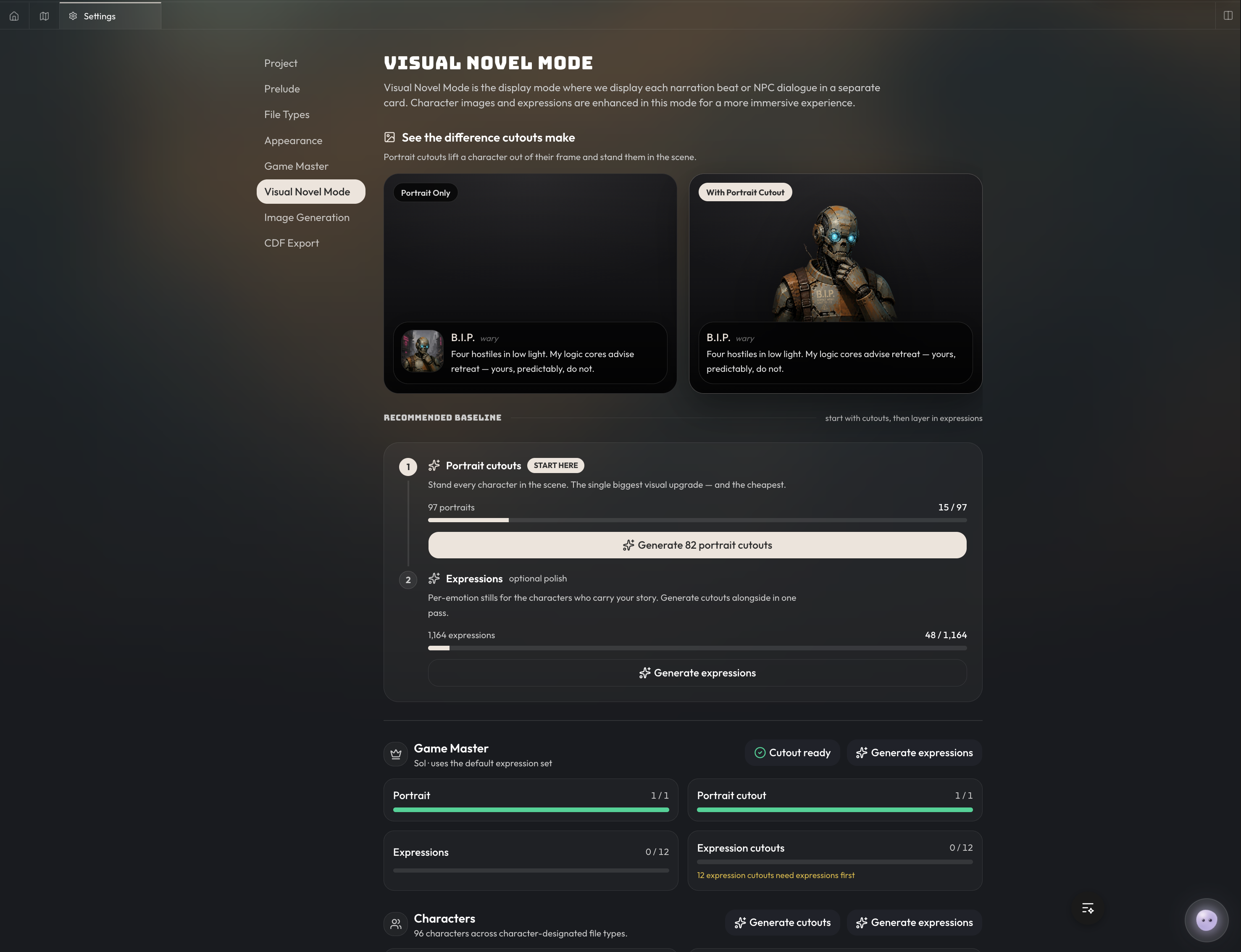
Expressions & Cutouts are completely optional and are not required for Visual Novel Mode to work. If you don't have expressions or cutouts for a character, we'll fall back to the character's default image, like this:
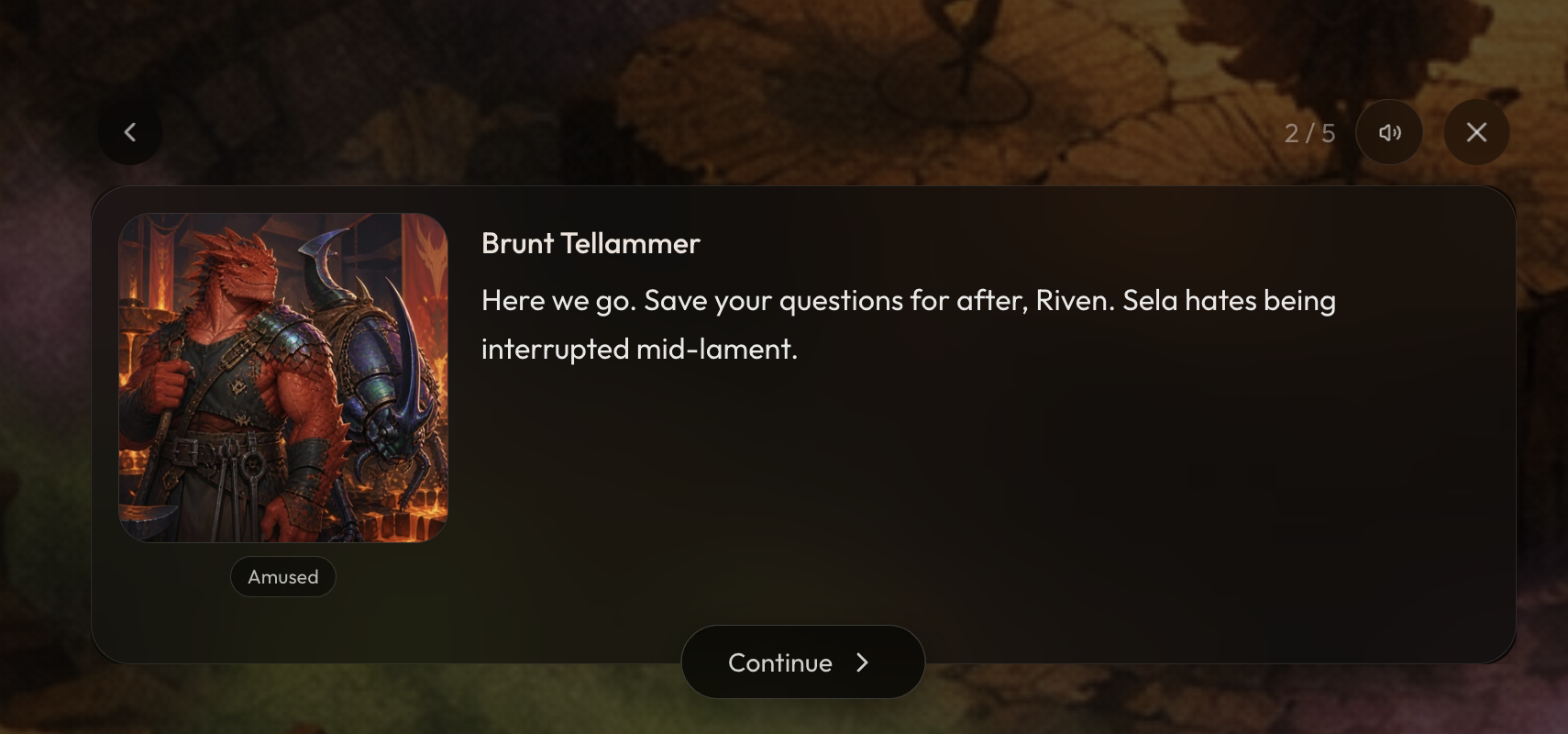 However, if you create a cutout for the character's portrait, it looks like this:
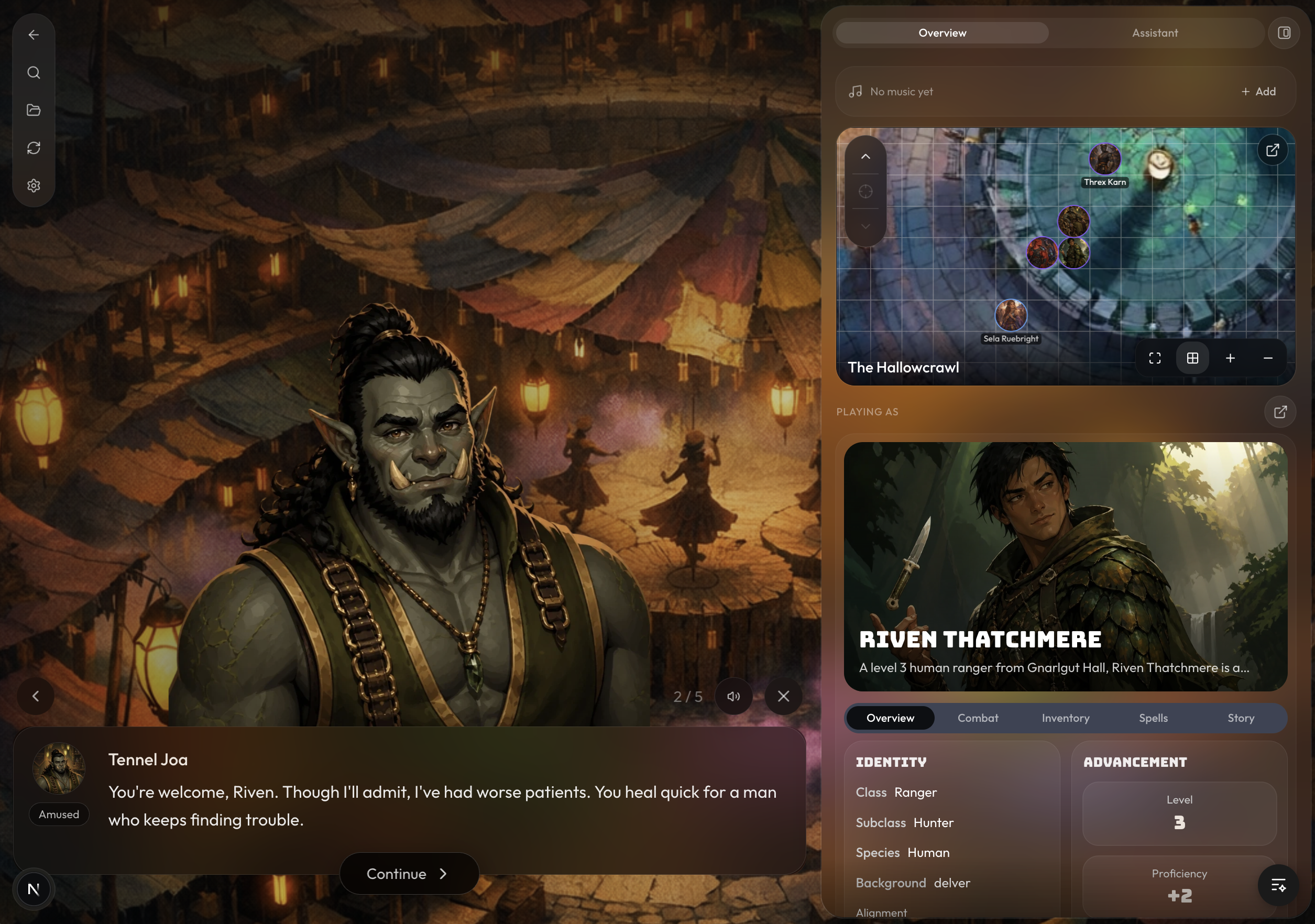 To make Visual Novel Mode feel the most immersive, we recommend generating at least the portrait cutout for each character in your world. Generating a portrait cutout costs 1 energy/credit, so you can get 100 characters done for only 100 credits. That's a lot of value added to everyone who plays your world in the future! To make it easy to generate portrait cutouts in bulk, we've added a tab in the Settings of your game or project where you can generate cutouts and expressions in bulk.
Creating Visual Novel Assets: Expressions
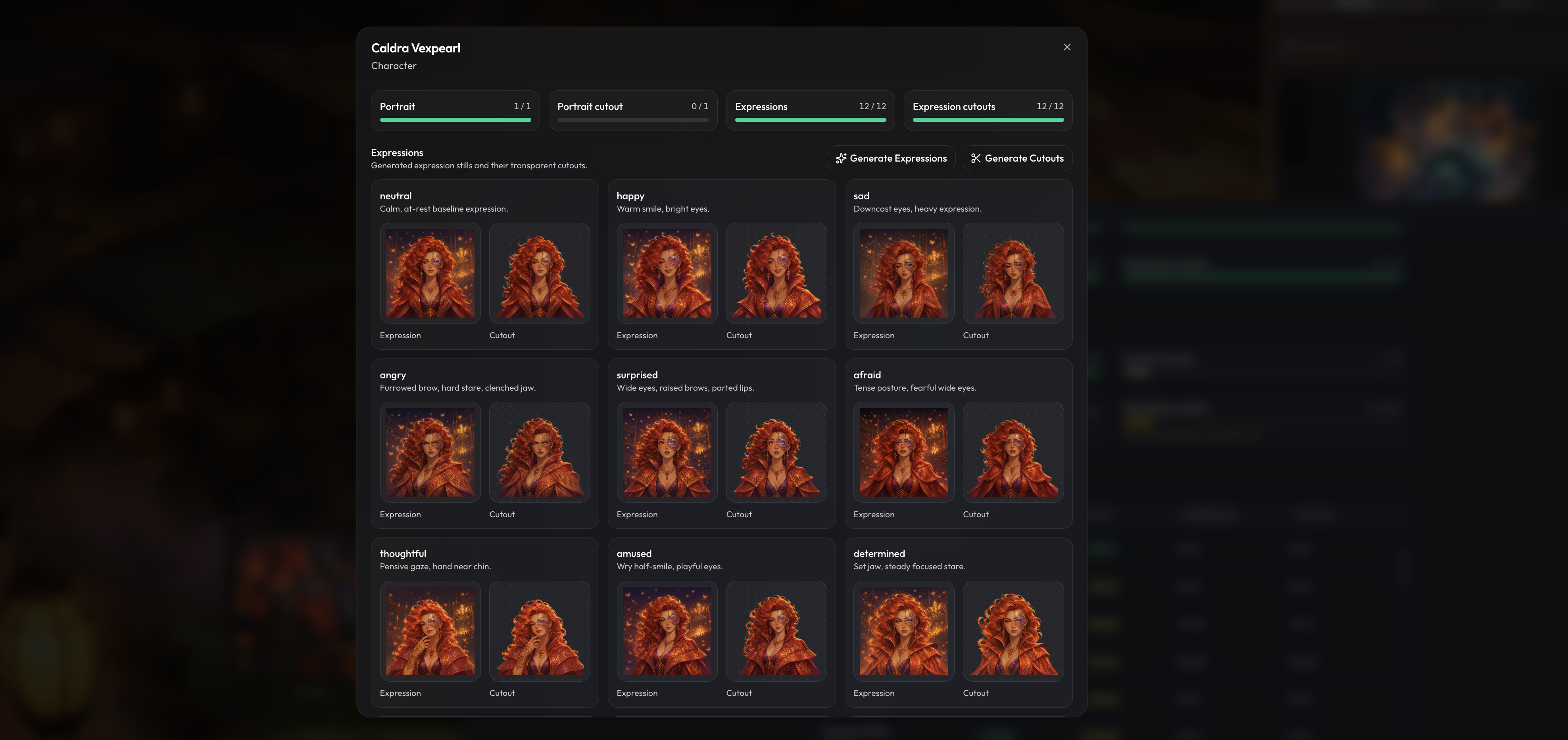 Expressions are more expensive to generate, because you will have many expressions per character. Expression cost 4 energy/credits to generate per expression. For the default 12 expressions, it costs 48 energy to generate all of the expressions per character, and then 1 energy per expression cutout. We know this is expensive, so we've made it easy for you to generate them off-platform and import them. Expressions are very optional, but they do add additional depth to your game. Expressions are primarily for the world builders who really want to make their worlds as immersive as possible.
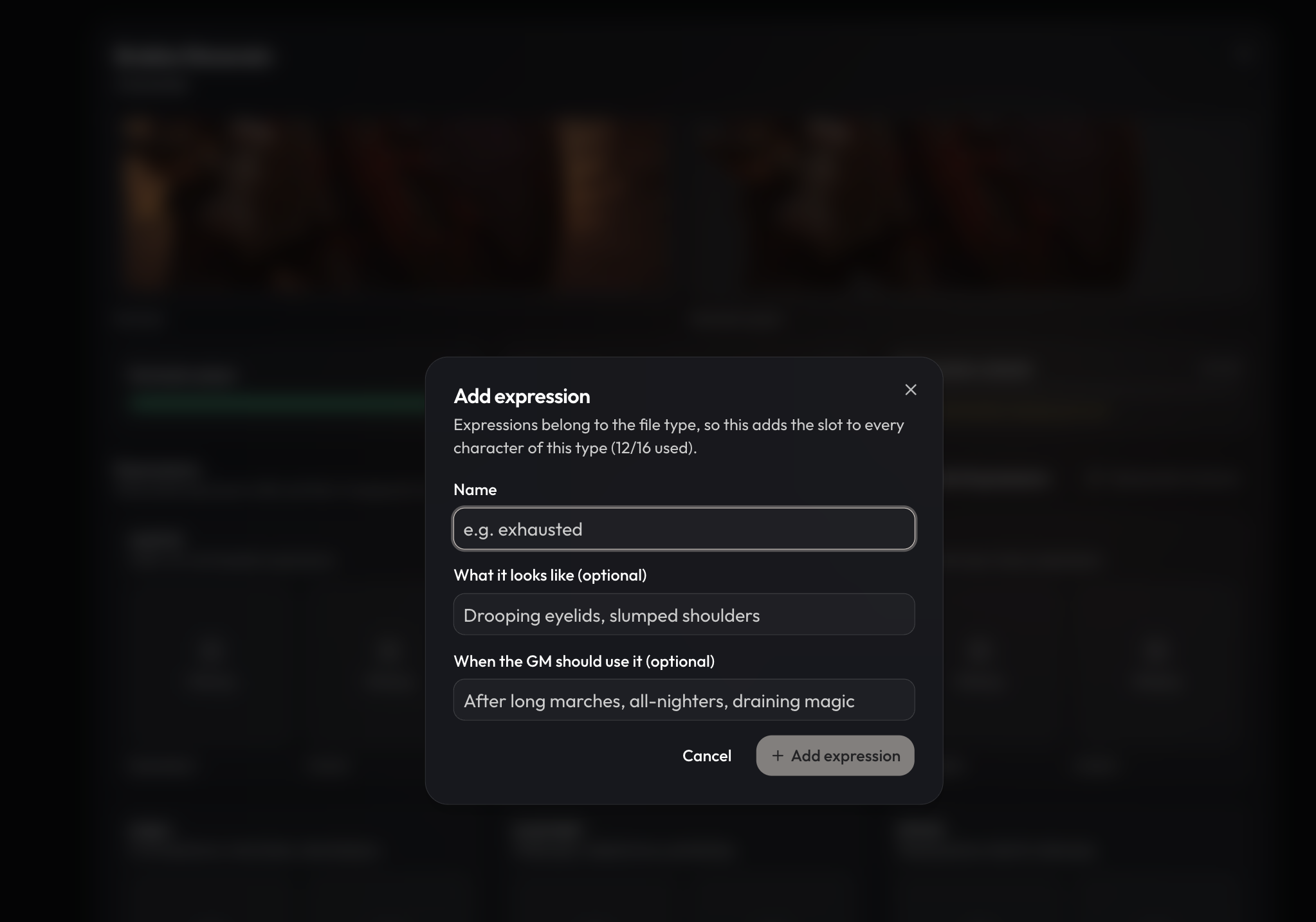
You can add custom expressions as well! To update expressions, just go to any character sheet, click the pencil icon. You'll see the Visual Novel Assets box below the character portrait.
TTS
While we were at it, we also made some big improvements to TTS. We drastically improved TTS speeds, so now you should get audio back within 1-2 seconds.
---
We can't wait to hear what you think about Visual Novel Mode, Cutouts, and Expressions. We really think that these features are going to take the Craft experience to the next level.