
Patch Notes B0.12 - File Type Improvements
Improved Schema Editor
The file type schema editor got a much needed uplift to look better and become easier to use. If you ever need to view or edit the schema manually, it should now be much easier to do so.
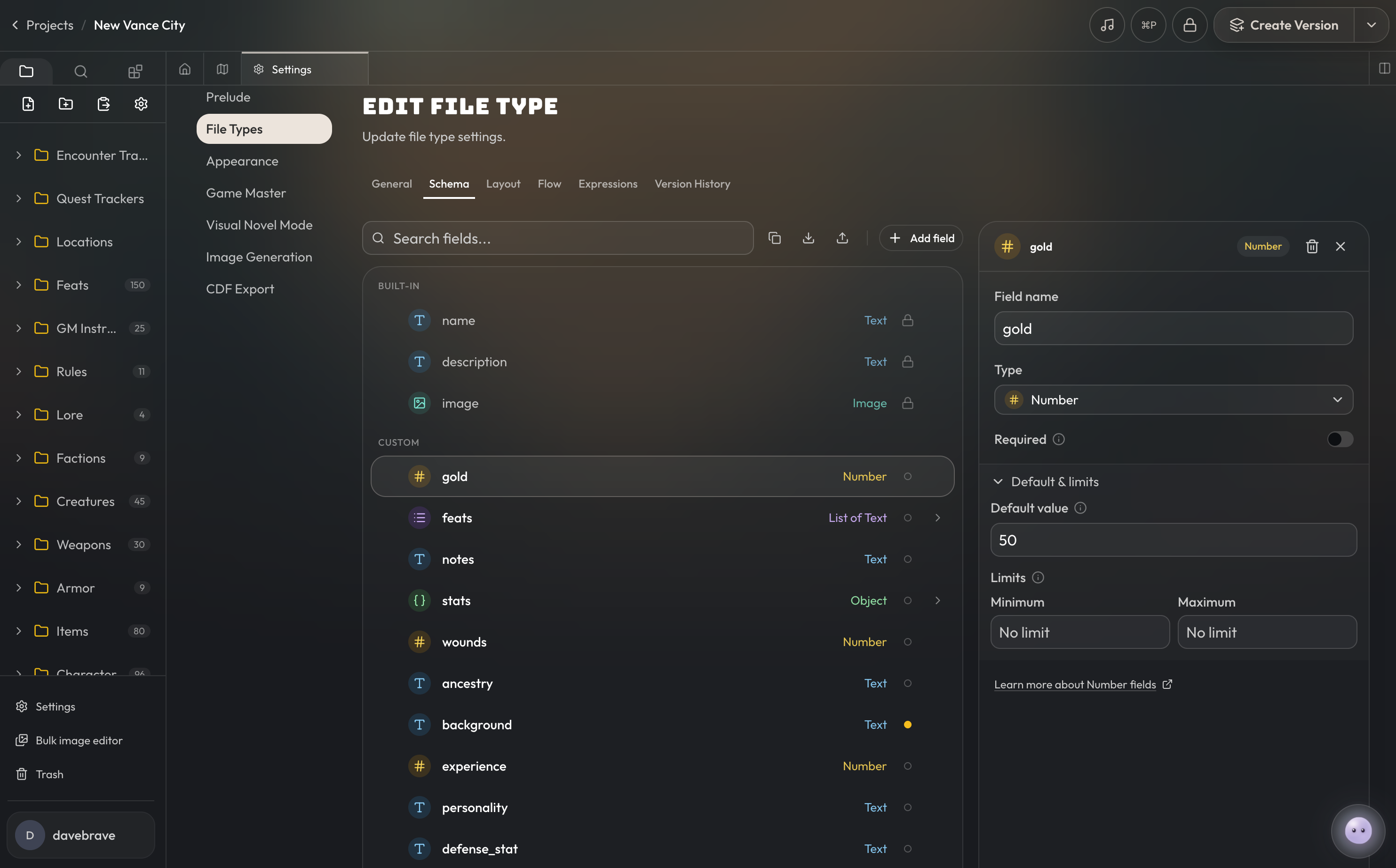
Default Values
You can now optionally provide default values for fields. These default values will be used whenever a file is created and a value was not provided for that field. Default values will only be used at file creation and will not be used when updating a file.
Limits
You can now set limits on certain field types. I.e you can define that numeric stat fields can only go up to a certain max value, that text fields must be a certain minimum or maximum length, or that a list can have a minimum or maximum number of items.
Enum Fields
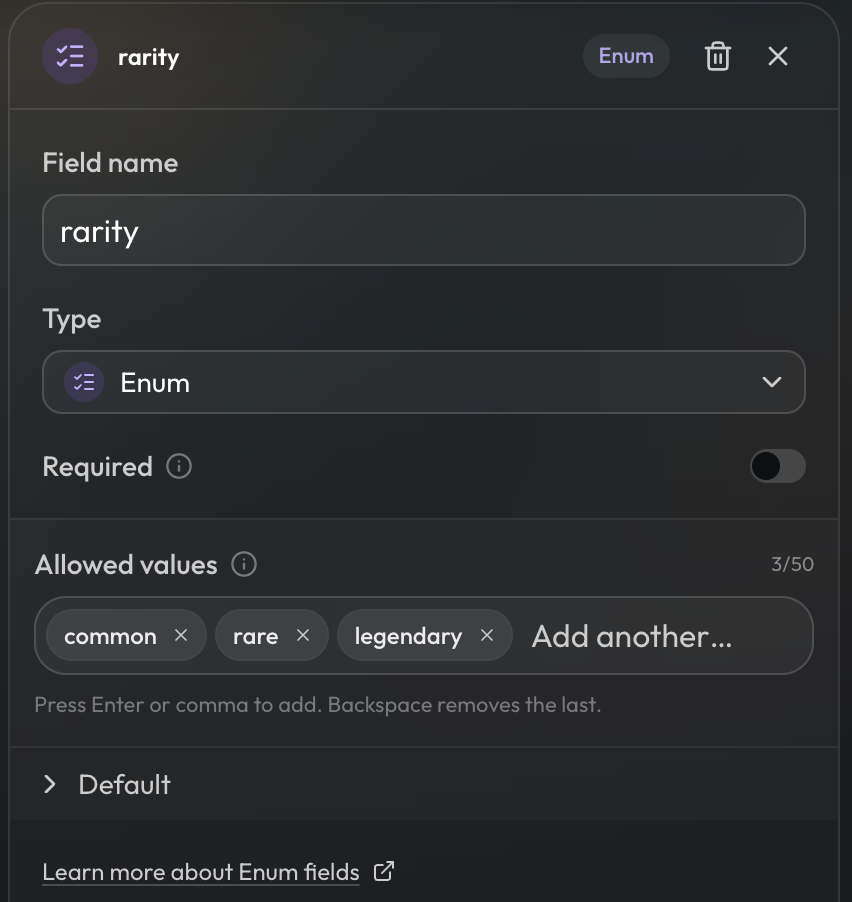
A new filed type was added called Enum. Enums are a specific allow list of values; only the values defined in the enum are valid to be used in that field. You should use an enum whenever you know that there's a specific fixed set of values that must be used for a field. For example, fields like an item's rarity which can only be common, rare, or legendary or an equipSlotfield which can only be head, feet, etc.
Enums are also useful for categories of file types, such as defining multiple categories of one file type which can be used for filtering described below.
Reference Filters and References to Multiple File Types
Reference Filters
When defining a target reference file type, you can now optionally set filters on the target reference. These filters will currently work on enum, text, numeric, and boolean values. Some common examples will be filtering by equality on enum or boolean values, such as equip slots. Each filter can have up to 3 conditions.
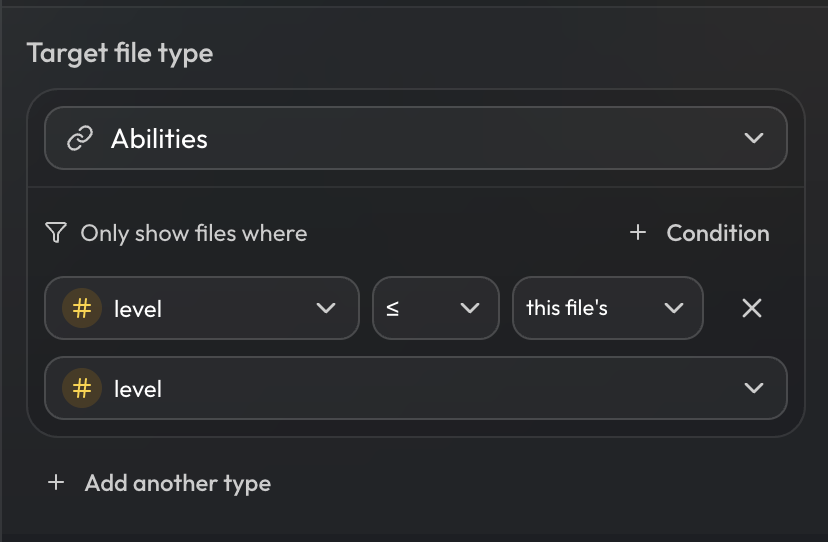
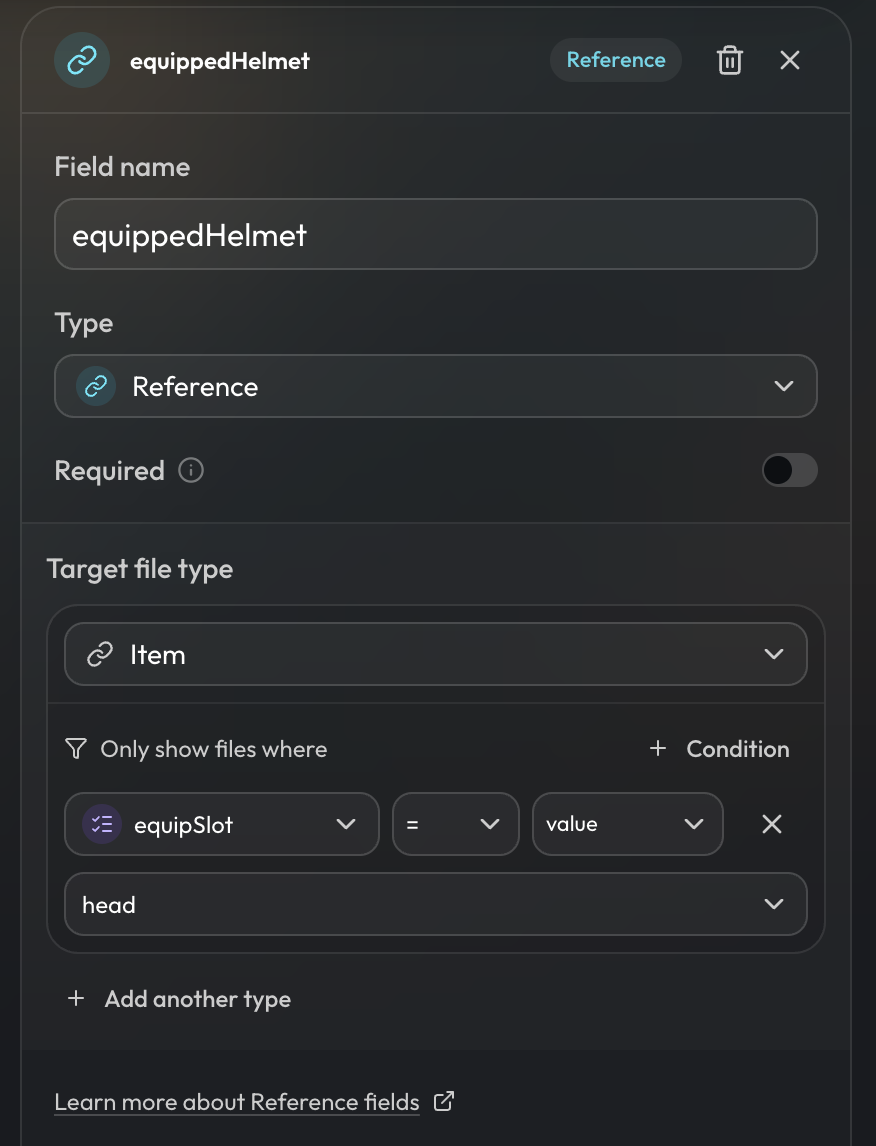 The value for the conditional check can either be a constant value, or it can be a value in comparison to the source file type. For example, you could have a character sheet with a field for availableAbilities which has a condition that it only shows abilities where the
 ability.level is less than or equal to the character.level. This will ensure that the user can't see abilities higher than the character's current level on the character sheet.
References to Multiple File Types
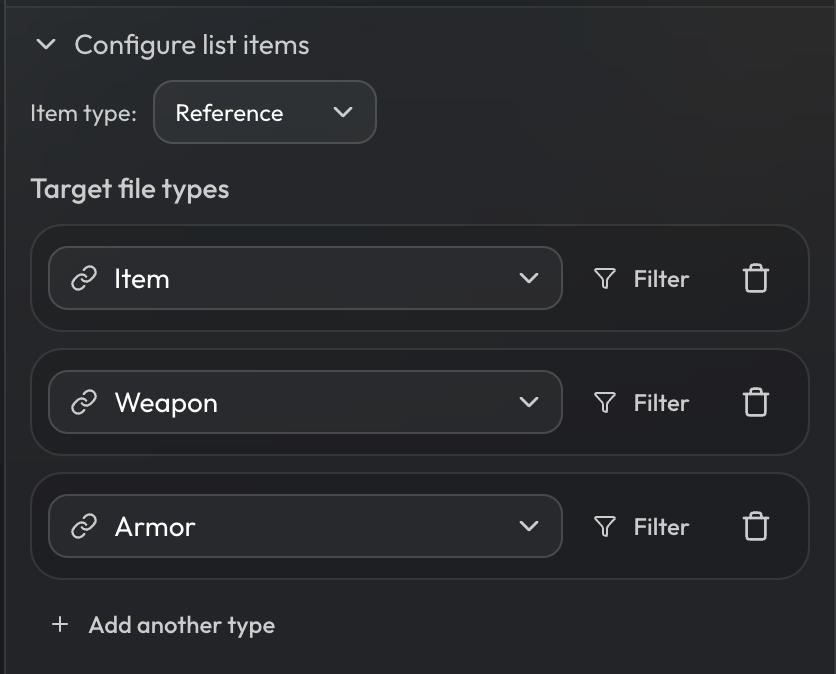
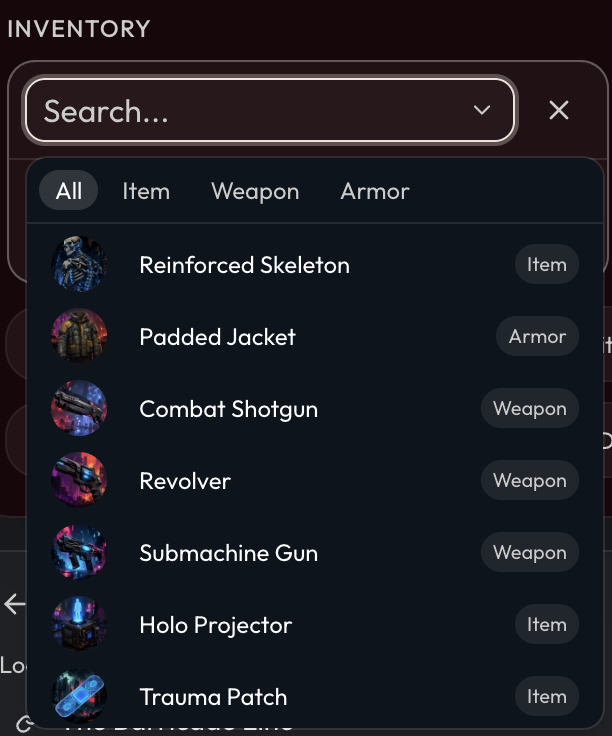
References can now also point to up to five multiple distinct file types. Each pointer to a target file type can be filtered. You can use this when one list needs to be able to point to multiple distinct file types, e.g an inventory list that needs to account for separate Item, Weapon, and Armor file types.
When to use Reference Enum Filters vs Referencing Multiple File Types
There's multiple ways one can structure the file types in their projects. In general though, a good rule thumb is that if the file types are the same or very similar (only a couple fields differ), then it's better to include an enum category field on the file type and then just filter by that enum when needing to refer to one category over the other.
If the file types differ drastically conceptually or in their schemas (i.e many fields are different with little overlap), then it's better to make them separate file types and refer to multiple file types if needed.
File Type Documentation
For further explanations and examples, you can read more about file types in the new documentation page.
Formulas
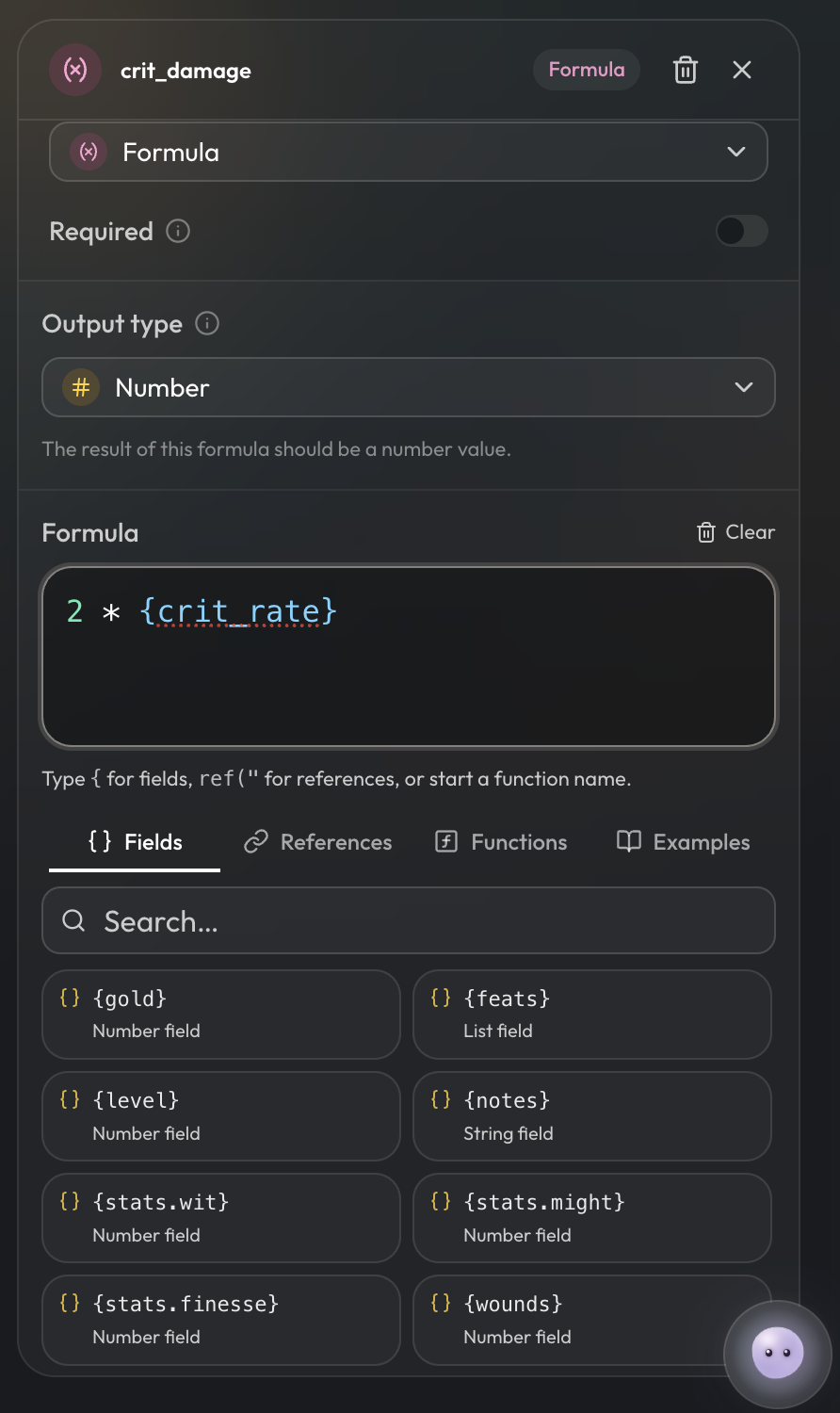
Formulas have an updated editor, and formulas can now reference other formulas. E.g in this example crit_damage is based off crit_rate which is itself a formula. Note that formula references cannot have cycles, i.e a formula that references itself.
Other Changes
- If multiple file types with the system designation 'character' exist within a project, and a player decides to create their own character, they will first see an option to select which character file type to create for.