
Patch Notes B0.19 - Sidebar Customization, Vision Models, and More
Sidebar Customization
You can now place files into the sidebar for quick reference, similar to the GM Pinned file. Use this for files you may always want to see in the sidebar such as party trackers or reference sheets. Up to 5 files may be added to the sidebar.
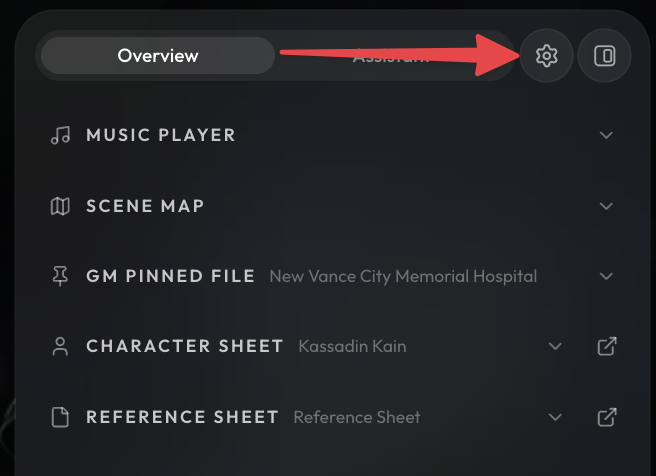
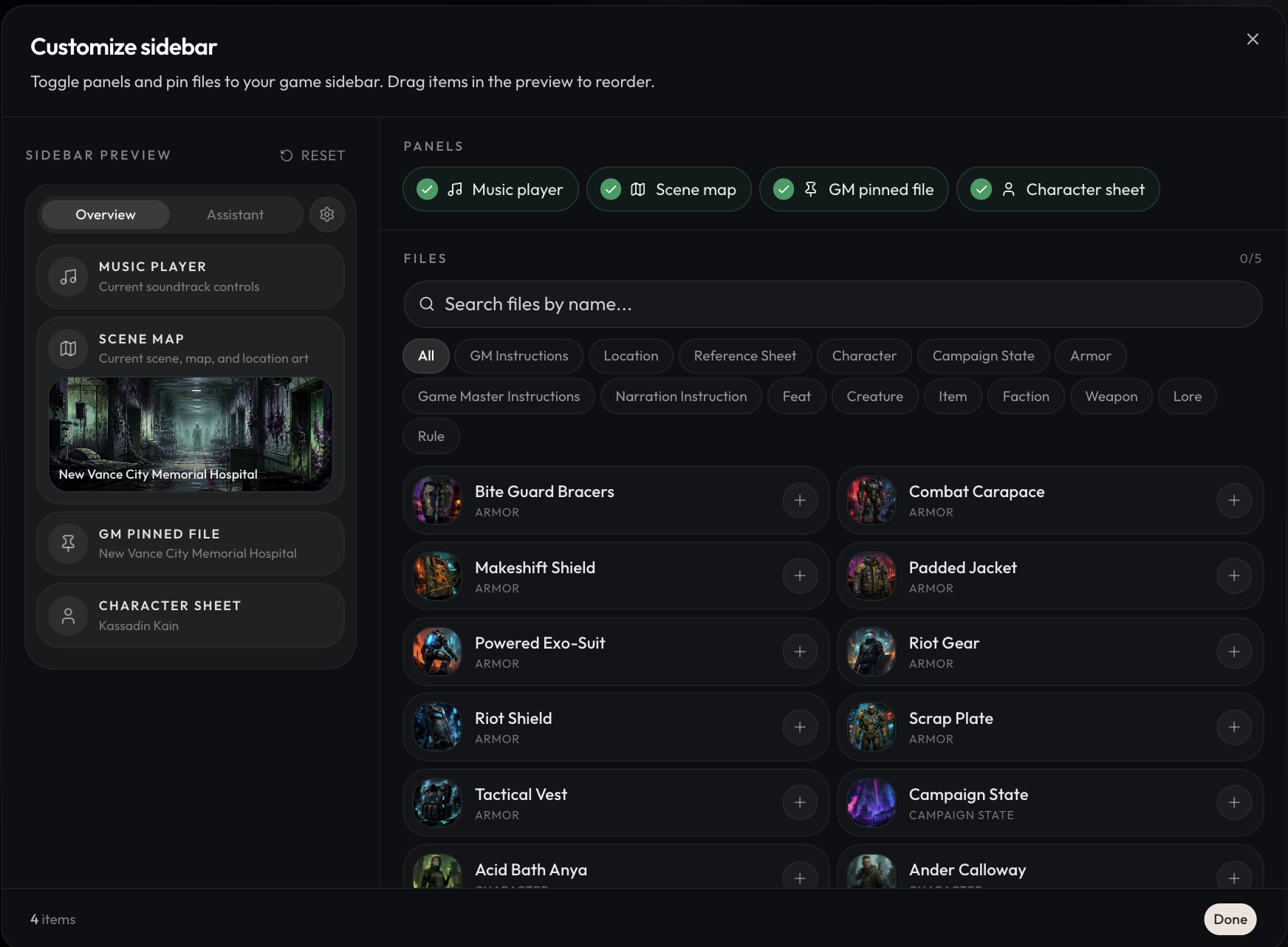
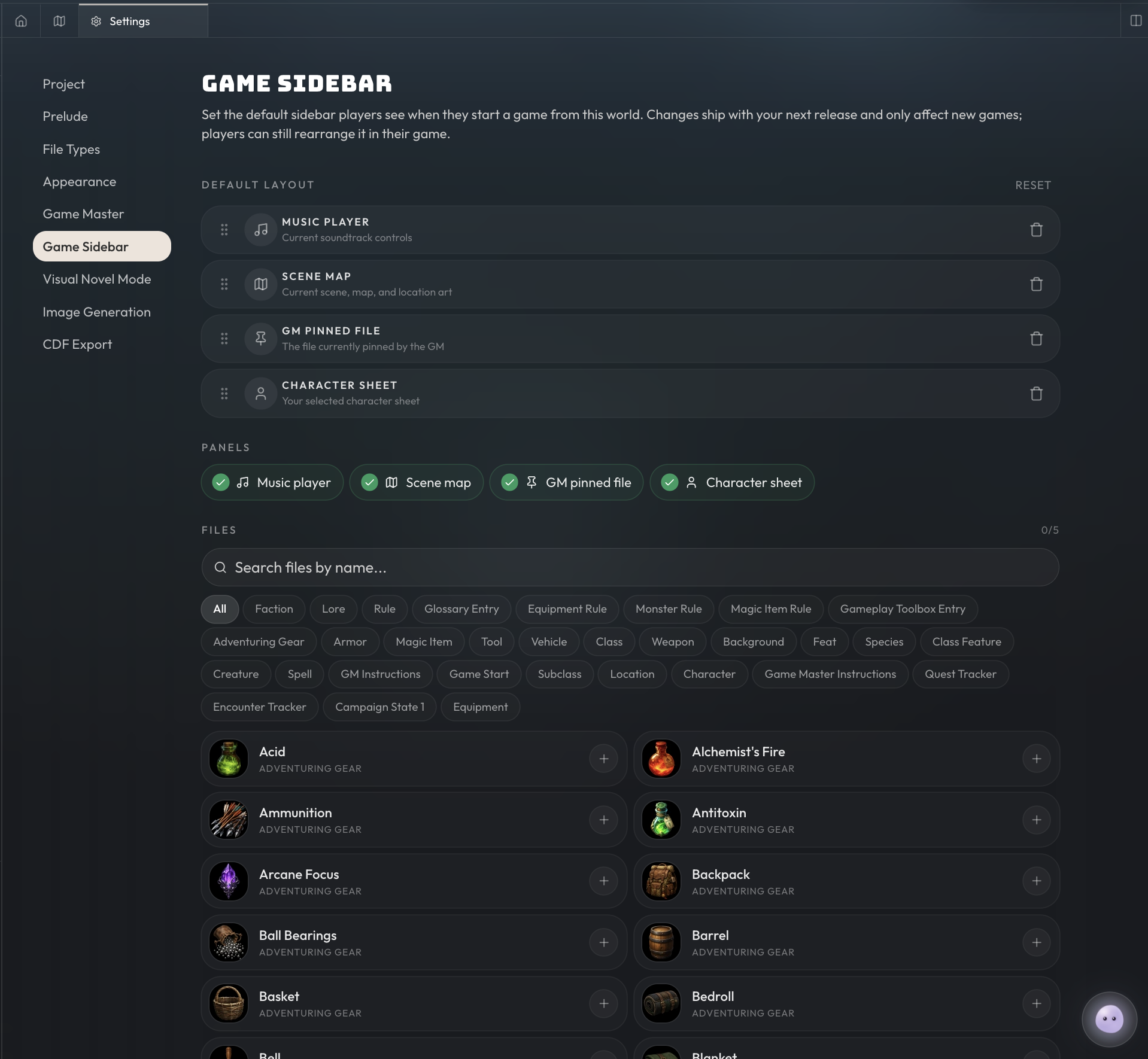
For world builders, in the project settings you can customize the default sidebar that will be used for new games under the 'Game Sidebar' tab.
Vision Models
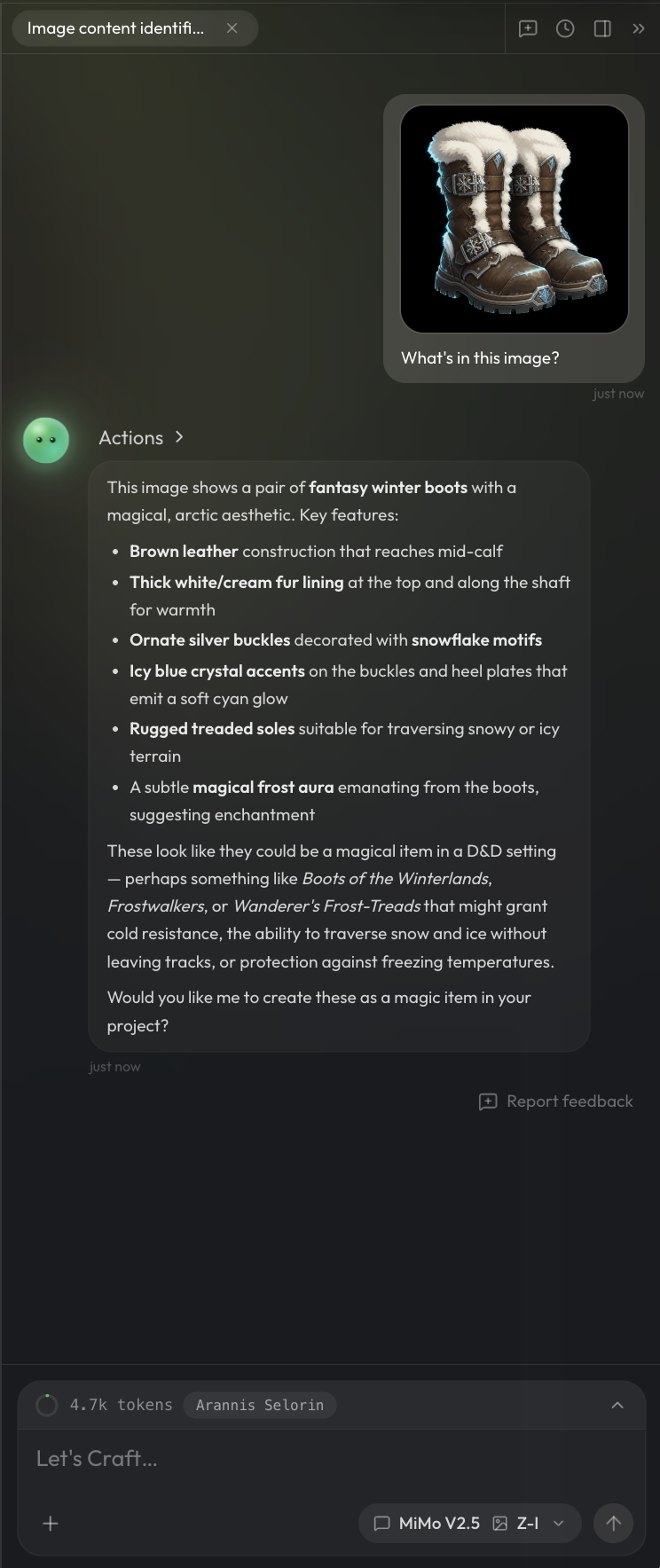
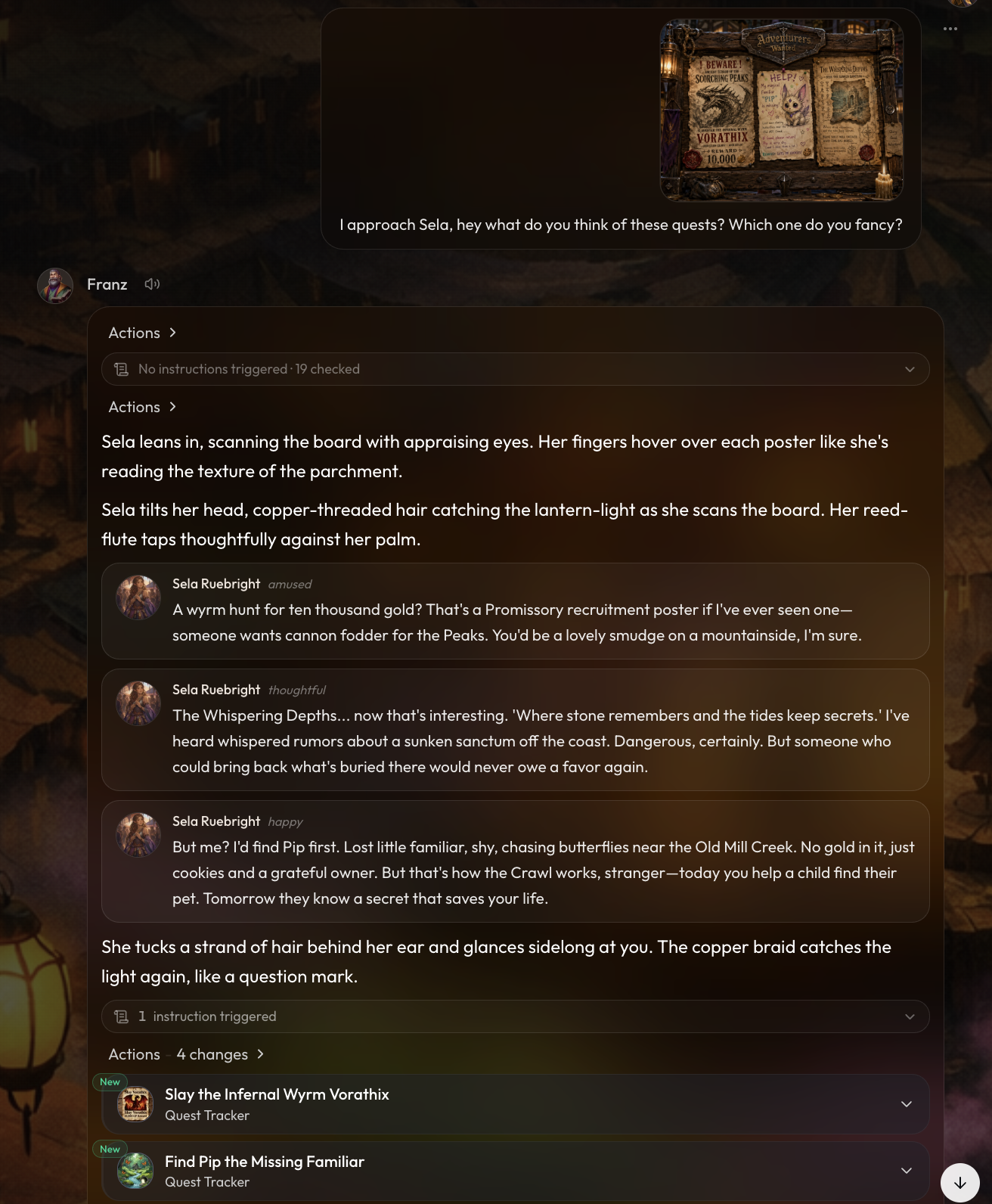
You can now attach images into the AI chats for models which have vision capabilities and accept image inputs. Not at all models have vision capabilities, only the ones designated with the vision icon support image inputs. Some good ones are Mimo V2.5 and the gemini model family.
Some use cases for images to try out,
- Generating files or content based off image aesthetics
- Giving layout designs to orbit
- Handing things to characters during gameplay
In-Game Cost Reductions
In the last patch note, we made a bunch of harness improvements and optimizations. We were expecting to see about 10-20% reduction in in-game cost, but we crunched the numbers and saw 45% cost savings on average. That means your credits now go much further in-game than before. This cost reduction only applies to in-game for now, but we have some Orbit improvements coming very soon which should help costs there as well. We want to stretch your tokens as far as possible!
Improvements and Fixes
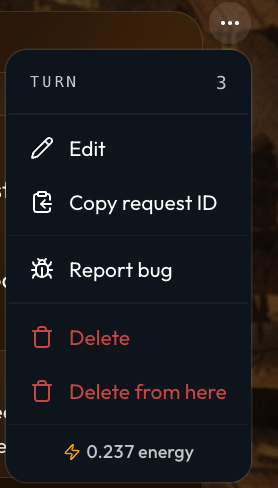
- You can now view turn numbers via the message dropdown menu.
-
Fixed a bug where minimap would not show if you had any hierarchical map loops, i.e A->B->C->A
-
Game sidebar sections are now collapsible, and the minimum sidebar width on desktop and mobile was increased slightly.
-
On mobile, game actions are now grouped under a single unified + button in the chat input bar.
-
Added Studio image selection for character expressions.
-
Improved map loading and readability with faster background previews, smoother marker transitions, better label collision handling, and minimap grids that match the map's saved style.
-
New maps now remember your last-used scale unit and grid style instead of returning to hardcoded defaults.
-
Improved game onboarding by splitting the first-run walkthrough into intro and gameplay tours that appear only when the relevant controls are visible.
-
Improved publishing, syncing, cloning, and game creation performance for large projects.
-
Fixed folder moves that could create self-parenting loops or name collisions, preventing affected projects from getting stuck during publish or export.
-
Fixed file type validation so invalid field definitions are caught before they can break later file saves, while formula fields continue to save correctly.
-
Formula suggestion dropdowns now keep loading matches as you scroll, making large file types easier to edit.
-
Fixed option-list fields so they can be changed directly in rendered views.
-
Fixed multi-type file reference dropdowns so the last result is no longer clipped.
-
Fixed the focal point picker so very tall images keep the Save button reachable.
-
Improved Flow music selection by loading more Studio tracks automatically as you scroll.
-
Improved character expression variation generation so slower provider runs have enough time to finish.
-
Fixed patch note pages where bullets after images could render as literal dashes.
-
The assistant no longer shows the research tool. We found that while the research tool is very effective in games, it is not as effective for the assistant. You can imagine the game master may only need some key information it is wondering about, but the assistant is frequently needing to read and update entire documents.
-
Fixed a bug where the save button was not visible on mobile devices when editing game starts.