
Patch Notes B0.21 - Reference Images & Project Limits
Reference Images
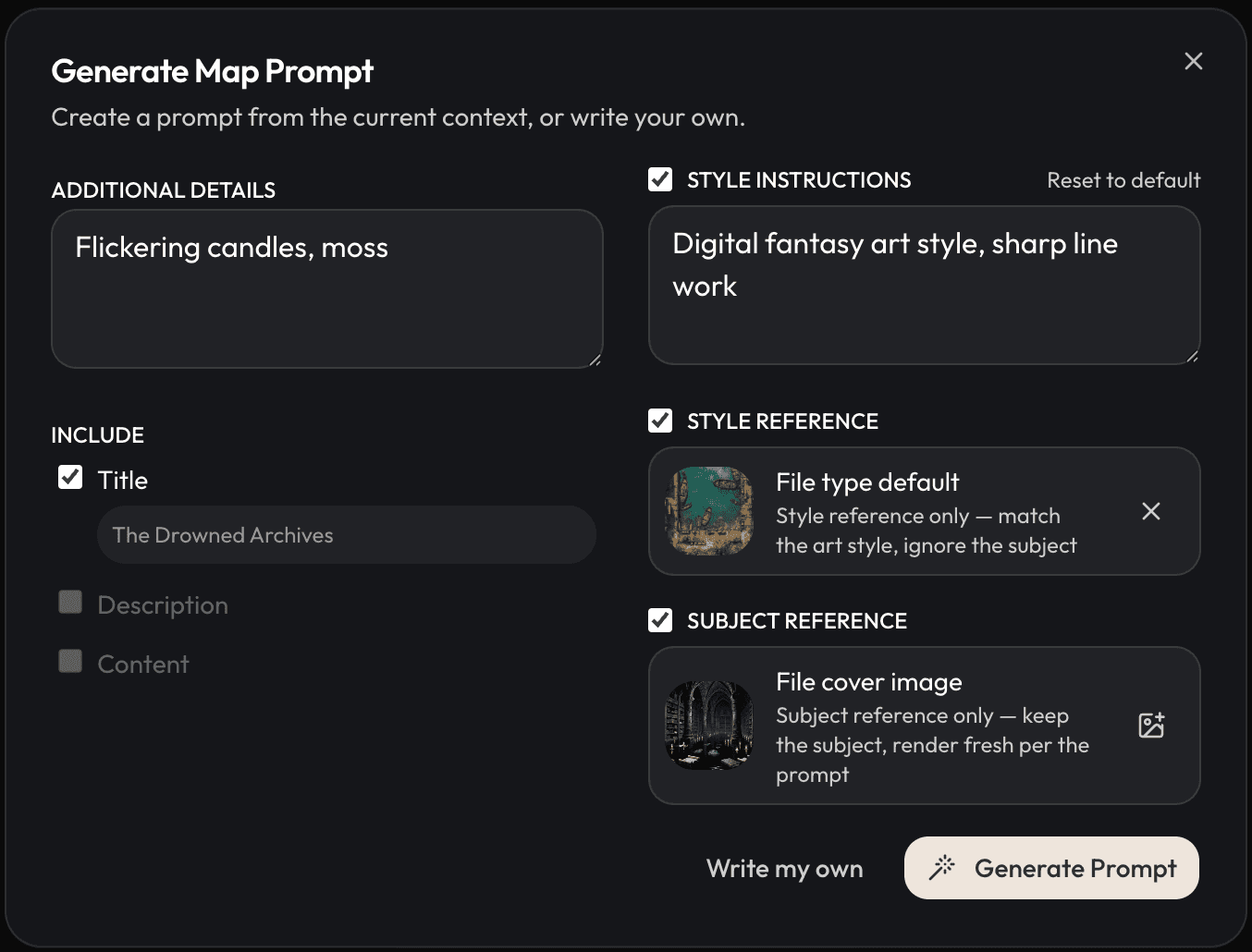
You can now use reference images in both the single file image generation flow and the bulk image editor. There are two types:
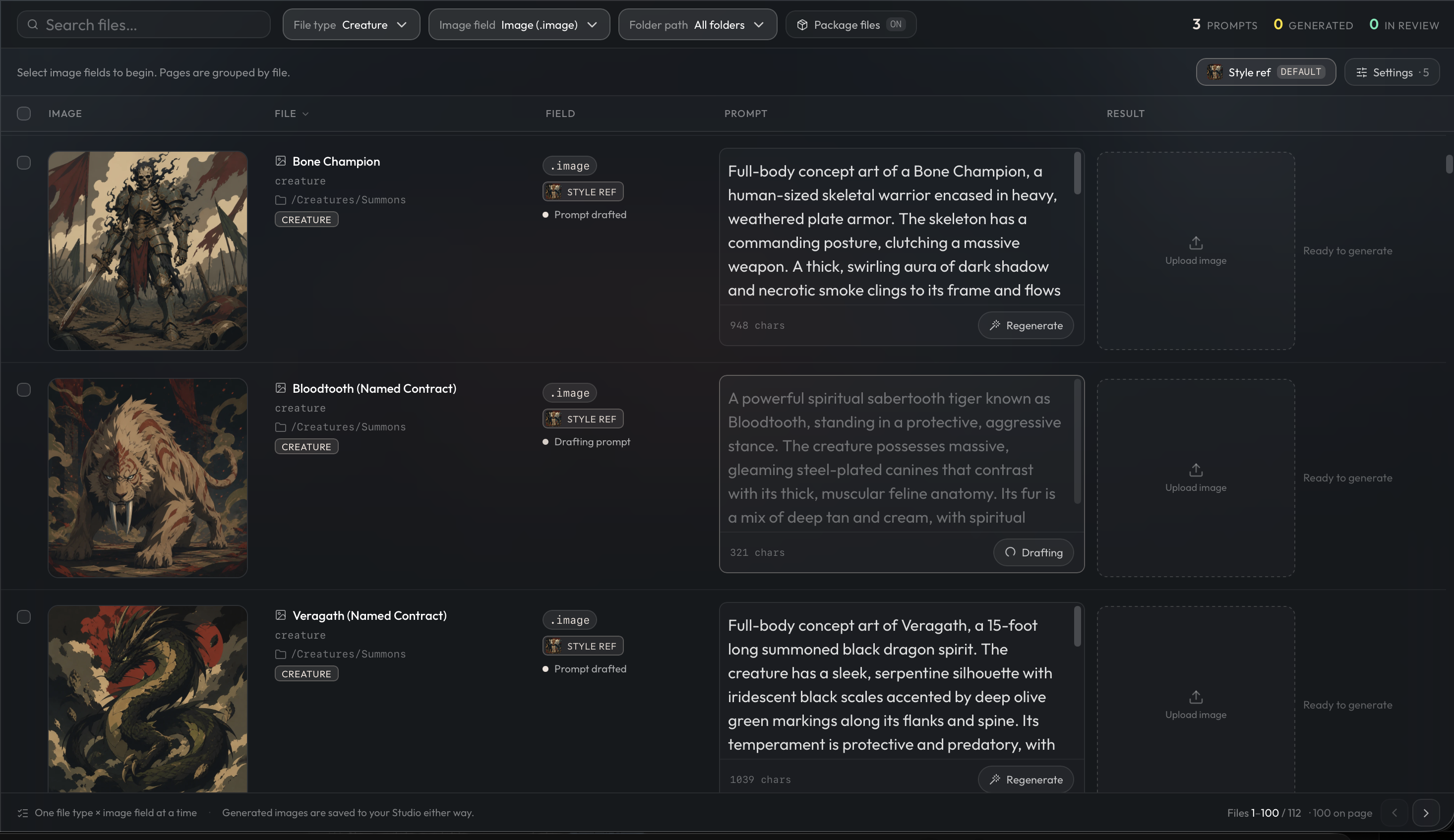
Style reference images control the look and feel of your generated images. The reference is used both to generate prompts and passed directly to the image generation. You can set a default style reference in your file type settings, and it will apply to all future image generations for that file type.
Subject reference images control what appears in the image. When you add one, the generation uses the subject from your reference along with whatever style instructions you've provided. Secondary images default to your cover image as the subject. For any image field that isn't the file cover image (like map background images), we automatically use the file cover image as the subject reference. This makes it easy to generate map backgrounds that match your cover.
A couple of things to keep in mind:
- Model support is limited. Only some image models support reference images, so using one will restrict which models you can pick. The cheapest option that currently supports references is GPT Image 2 (2 energy).
- Adherence to your reference images is not guaranteed, and you may have to play around with your prompts and instructions to get it right. The bigger the model you use, the more likely you are to get a good result.
- We're hoping to find a cheaper model for 1 energy or less that supports reference images. There are some exist, but none of them worked well enough for us to put one in. Hopefully we get one soon!
Project Limits
As we gear up for Open Beta access, certain limits need to be applied on projects and games to ensure the platform stays performant as more players come online. These limits are meant to be high enough such that most players will never have to think about or reach them, but necessary so that performance stays stable as the platform grows.
Each project/game has the following maximum limits:
- Up to 10,000 files.
- Up to 100 file types.
- Each file type can have at most up to 200 fields.
Additionally, based on plan, each account has the following storage limits:
- Free: 10 Projects / 10 Game Slots
- Starter: 50 Projects / 20 Game Slots
- Plus: 75 Projects / 30 Game Slots
- Pro: 100 Projects / 40 Game Slots
If you reach these limits, previous games / files will need to be deleted before new ones can be created.
Improvements and Fixes
- You can now update the file type image generation defaults in the Project->Image Generation tab
- Character focal points are now defaulted to the top center of the image upon generating through the image picker
- Neutral character expression is now preferred over the portrait cutout in visual novel mode.
- Creators can set a recommended model for the GM via Settings > Game Master. Players can select their GM model in the lobby screen before starting the game.
- Fixed cross-file formulas so linked references evaluate correctly when files are read.
- Fixed reference fields in rendered views so they show file names instead of internal identifiers.
- Fixed DeepSeek chats that could fail after previously approved tool actions.
- Fixed Game Master narration that could break when dialogue contained unescaped quotation marks.
- Fixed minimaps dropping collected layers when a map's ancestry contained a loop.